


Choosing the best X Ray Security Scanner for 2026 is not simply a matter of selecting the newest model. The right choice depends on what needs screening, how much space is available, and how quickly staff must review images. A busy transport hub may value high throughput and clear image displays. A smaller facility may care more about footprint, ease of operation, and support.
The details matter. Look at image quality, detection assistance, conveyor dimensions, operator training, maintenance, and integration with existing workflows. Ask vendors how performance is assessed in realistic conditions, not only in polished demonstrations. Bruce Schneier, a widely cited security technologist, captured a useful principle: “Security is a process, not a product.” That idea applies here: even capable equipment depends on sound procedures, trained operators, and ongoing evaluation.
There is no universal winner. Not quite. A scanner that suits one site may create bottlenecks or unnecessary complexity at another. Buyers should compare documented capabilities, service arrangements, usability, and lifecycle costs against their own requirements. They should also distinguish independently verified information from marketing claims. I would be cautious about rankings that name a single “best” scanner without explaining the test conditions. Real environments are messy, and a specification sheet cannot show every operational friction point. This guide examines the factors that can help organizations make a more informed 2026 decision.
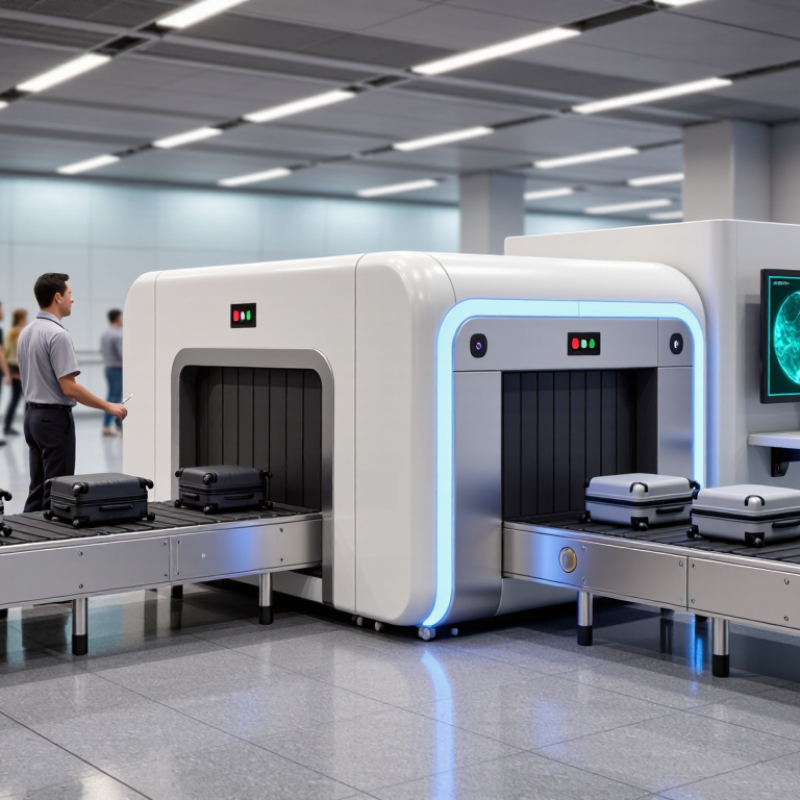
What Is the Best X Ray Security Scanner for 2026?
How X-Ray Security Scanners Work
An X-ray security scanner sends a controlled beam through an item on a moving belt. Sensors on the opposite side measure how much energy passes through. Denser areas absorb more; thinner areas let more through. Software turns these differences into an image, often using colors to show ranges of material response. Color meanings vary by system. The image is not a verdict.
The operator studies shapes, edges, and overlapping contents on a monitor. Some scanners use two energy levels to help distinguish broad material groups. They do not identify every object with certainty. A folded jacket, tightly packed bag, or metal container can hide useful details. Small clues matter: a blurred outline, an unexpected dense patch, or an item that cannot be viewed clearly.
Good results depend on more than the scanner. Staff need training, equipment needs routine checks, and unclear images may call for repositioning or another inspection step under site procedures. A crisp image can still mislead. Even experienced operators must account for clutter and image limits. That uncertainty is worth acknowledging; the screen shows measurements, not the full physical scene.
The best X-ray security scanner for 2026 depends on the site, objects screened, and daily throughput. Different settings need different designs. Cabinet scanners suit small items at reception desks or staff entrances. Their compact tunnel and fixed position make installation straightforward, though capacity is limited. Conveyor scanners handle a steady flow of bags and parcels. Belt width, tunnel height, and image quality matter when items vary in size. A busy venue may need faster processing, but speed alone is not enough. Clear images and comfortable viewing conditions help operators work consistently.
Other types serve more specialized spaces. Mobile scanners can be moved between inspection points, although floor surfaces, power access, and setup time affect their usefulness. Large-item systems accommodate bulky objects that cannot fit standard tunnels. Computed tomography models create layered images, which can provide more detail but may require extra space, training, and budget. It varies. When comparing systems, consider screening volume, item dimensions, available room, service support, and operator training. Ask for a practical demonstration using representative bags or packages. Check how long image review takes during a realistic shift, not just in a quiet showroom. No scanner is ideal for every site. Needs change, and selection deserves another look after installation.
Choosing the best X-ray security scanner in 2026 starts with the site, not a feature list. Measure the available floor space, conveyor opening, and typical item sizes. A narrow checkpoint may need a compact unit, while a busy facility may benefit from higher throughput. Ask vendors to demonstrate image clarity using representative bags and packages from your daily workflow. Small details matter. Can operators distinguish overlapping objects on a crowded screen? Can they adjust the image without slowing the line?
Compare detection software, operator controls, maintenance needs, and total operating costs. Useful image tools should support trained staff, not replace their judgment. Check whether the interface is readable from the normal viewing position and whether routine cleaning is straightforward. Ask how updates, technical support, and staff training are handled. Published specifications help, but a live trial often reveals awkward controls or bottlenecks. I would not choose on image claims alone; those can look persuasive until the scanner meets real traffic.
Tips: Bring a short checklist to demonstrations. Test familiar items, note how long image review takes, and ask operators to try the controls. Compare results under similar conditions. Record questions you cannot answer on-site, too. That small gap is worth investigating.
The best X-ray security scanner in 2026 depends less on headline features than on the objects and pace of your site. A compact cabinet unit suits reception areas, clinics, and small offices handling bags or parcels. Its small footprint is useful, but the tunnel may not fit bulky packages. For steady queues, a conveyor scanner with a wider tunnel helps staff keep items moving. Dual-view imaging can reduce blind spots when objects overlap, though it adds cost and requires focused operator training.
Large facilities receiving pallets may need an oversized tunnel or a dedicated cargo system. Check the largest item dimensions, expected items per hour, image detail, and available floor space before comparing models. Ask for a live demonstration using representative packages, not just a polished sample image. Maintenance access matters, too. Downtime is real.
Tips: Measure your largest routine item, then allow room for awkward angles. Compare image quality and throughput under the same test conditions. Confirm training, service response, and reporting tools in writing. One caveat: a faster unit can still slow a site if its belt layout clashes with staff flow. Revisit the choice after a short pilot; one demonstration is not proof.
| Scanner type | Best suited to | Typical strengths | Key considerations | Good fit when… |
|---|---|---|---|---|
| Single-view baggage scanner | Small venues, offices, schools, and lower-throughput checkpoints | Provides a two-dimensional X-ray image; typically has a simpler operating workflow and a smaller footprint than larger systems. | Overlapping items can make image interpretation harder. Operators may need to reposition or inspect bags when contents are obscured. | You need routine screening of bags and parcels, and screening volume and image complexity are moderate. |
| Dual-view baggage scanner | Airports, transit hubs, event venues, and busy checkpoints | Displays images from two different viewing angles, which can help operators assess objects hidden by overlap in one view. | Requires trained operators and appropriate space, maintenance, and throughput planning. Dual views do not eliminate the need for secondary inspection. | Bag volume is high or a second perspective could reduce the number of items needing manual repositioning. |
| Computed tomography (CT) baggage scanner | High-security checkpoints and applications requiring detailed three-dimensional assessment | Produces volumetric image data that can be rotated and examined from multiple angles; some systems support automated detection functions. | System cost, footprint, integration, image-review procedures, and certification requirements should be assessed. Automated alerts require operator review. | Detailed analysis and high screening performance are priorities, and the site can support the system’s operational requirements. |
| Large-parcel and freight X-ray scanner | Mailrooms, logistics facilities, warehouses, and cargo operations | Designed for larger or heavier items than standard baggage systems; configurations vary by tunnel size and conveyor capacity. | Confirm the maximum item dimensions and weight, conveyor layout, image quality for intended cargo, and safe operating procedures. | Screening involves parcels or freight that will not fit through a conventional baggage scanner. |
| Vehicle and cargo inspection system | Border crossings, ports, and controlled-access sites inspecting trucks or freight containers | Can screen vehicle or cargo loads without unloading every item; systems may be fixed, relocatable, or vehicle-mounted. | Requires site planning for traffic flow, radiation safety, access control, operating procedures, and relevant regulatory approvals. | Large vehicles or cargo loads are the screening target and a dedicated inspection area is available. |
| Portable or relocatable X-ray system | Temporary checkpoints, field operations, and sites with changing screening locations | Offers greater deployment flexibility than a permanently installed system, depending on the equipment configuration. | Check setup time, power needs, environmental limits, transport requirements, image capability, and applicable safety controls. | Screening locations change regularly and the equipment can be operated safely in the intended environments. |
| Best-choice checklist | Any organization comparing systems | Match the scanner to the items being screened, required throughput, image-review process, site layout, and available trained staff. | Verify applicable standards and approvals with the relevant authority. Request a site assessment and evaluate the complete operating workflow, not just the scanner. | You want a system selected for a specific threat assessment and operating environment rather than a single universal “best” model. |
The best X-ray security scanner for 2026 is not simply the fastest model. It should fit the site’s daily workload and support safe, consistent operation. Check the enclosure, access panels, warning lights, and safety interlocks against the equipment documentation. Ask for service records and evidence of required radiation safety testing. Requirements differ by location, so confirm applicable rules with a qualified safety professional. Do not rely on a sales sheet alone.
Tips: Before each shift, inspect the conveyor and visible warning indicators. Keep a short log of faults, checks, and service visits. Train operators to stop the system and report unusual sounds, damaged panels, or warning signals. Small details matter.
Image clarity and throughput are useful, but they do not replace safeguards or training. Watch a demonstration using realistic bags and the actual operating layout. Notice whether staff can view images comfortably and communicate without rushing. Confirm who performs maintenance, how faults are escalated, and what records are retained. A polished demonstration can hide awkward daily routines. I would revisit the choice after operators have used the scanner for several weeks; real workflows sometimes expose problems that a checklist misses.